

Every studio owner remembers the exact moment their scheduling system stopped working. For some it's a double-booking that puts two students in a slot meant for one. For others it's the fourth phone call in a morning from a parent asking "is there space in the 4pm class?", a question that shouldn't need a phone call to answer.
The schedule itself is rarely the actual problem. Most studios know which classes should run and when. What breaks down is the process around the schedule: how students find out what's available, how they book in, what happens when someone needs to reschedule, and who's responsible for keeping all of that straight as the business grows.
Picture a 120-student martial arts academy running on a printed weekly timetable pinned to the front desk, a shared Google Calendar two staff members both edit, and a parent WhatsApp group per belt level. Every Sunday night, whoever's on schedule duty spends half an hour manually checking which classes are full before Monday's rush of sign-up messages. When a grading day pushes the normal Tuesday class to Thursday, someone has to individually message forty families, and at least two show up on Tuesday anyway. None of this is anyone's fault. It's what happens when a business built around dozens of weekly, per-student touchpoints is run on tools designed for a single static list.
This guide walks through why that process breaks down as a studio grows, what a schedule that actually fills looks like in practice, and how studios across different disciplines are solving it.
Why Scheduling Breaks Down as You Grow
A shared spreadsheet or a WhatsApp group can just about work for a handful of classes. The trouble starts as class count and student numbers climb, usually somewhere between 60 and 100 active students, when the number of weekly touchpoints outpaces what one person can track from memory.
A few specific breaking points show up consistently:
- Availability lives in someone's head, not somewhere visible. A parent asking whether Thursday's beginner class has space has to call, message, or wait for a reply, because there's nowhere for them to just check. Multiply that across every family, every week, and it becomes a meaningful share of front-desk time that isn't going toward anything else.
- Two people update two different versions of the truth. One staff member confirms a spot over text while another is looking at yesterday's copy of the sheet. Neither is wrong individually, the system just doesn't have one source of truth, which is exactly how double-bookings happen.
- Waitlists are tracked by memory. When a spot opens up, whoever remembers to check the list, and remembers who was on it, and in what order, decides who gets in. It works until it doesn't, and a studio running this way typically leaves a meaningful share of last-minute openings unfilled simply because nobody worked down the list in time.
- Rescheduling means a chain of manual messages. Move one class and someone has to individually notify every affected student, update the calendar, and hope nothing falls through the cracks in between.
- Recurring classes get rebuilt from scratch every term. The same weekly slot gets manually re-entered and re-confirmed each cycle, instead of simply continuing until someone says otherwise, which is one of the first things worth automating as a studio grows.

None of these are dramatic failures individually. They're small frictions that compound, and the studios that solve them well aren't the ones with fewer classes to manage; they're the ones that stopped putting a staff member in the middle of every booking decision, and gave students a way to see and manage their own bookings.
What a Schedule That Fills Actually Looks Like
The studios that don't struggle with this have usually done three things, in roughly this order.
They gave students a way to see availability themselves
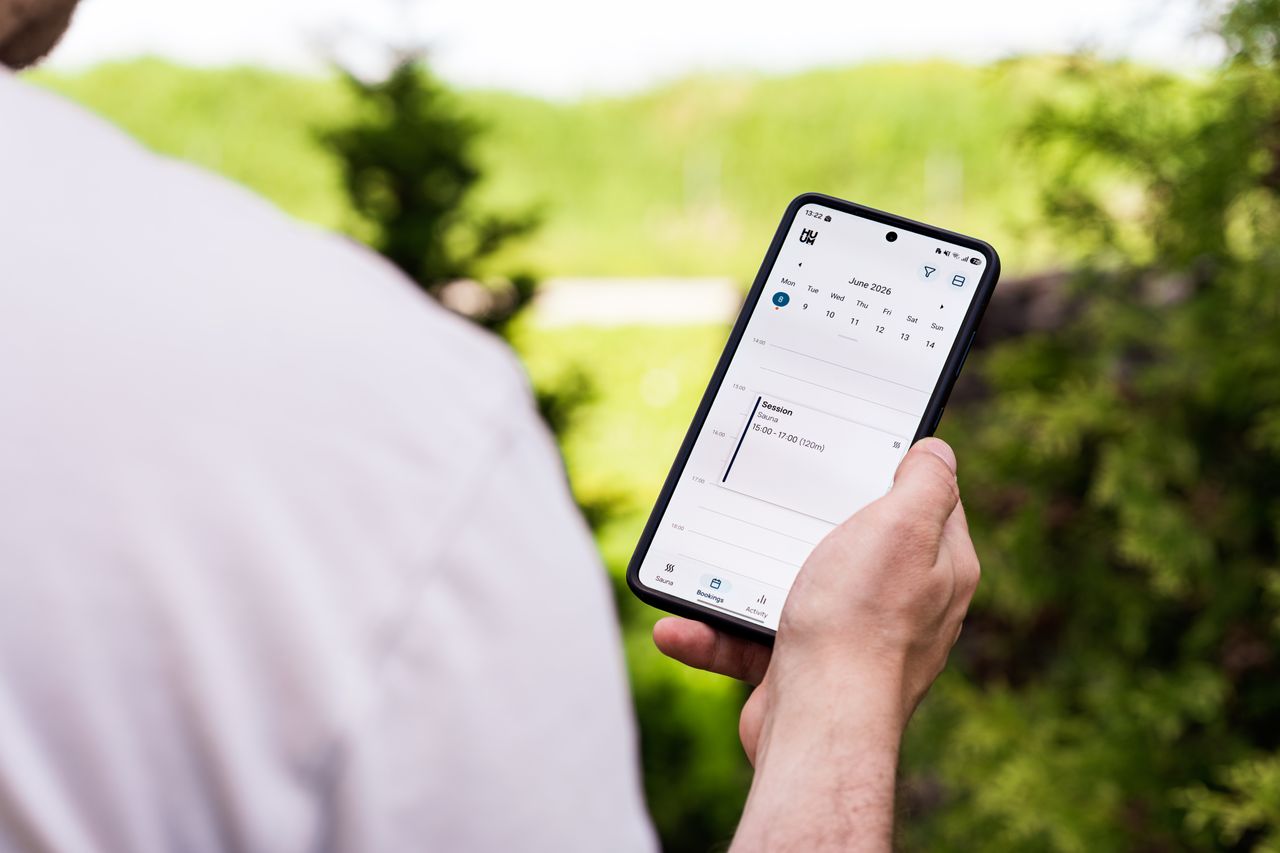
The single biggest shift is moving the calendar out of a staff member's head and into something students can check on their own. This sounds simple, and it is. It removes the majority of the phone calls and messages that eat into admin time. A parent checking whether Tuesday has space shouldn't need to interrupt anyone's day to find out.
They let students book and reschedule without asking permission first
Once availability is visible, the next step is letting students act on it directly: booking into an open slot, or moving themselves to a different one, within whatever rules the studio sets (say, reschedule up to 24 hours ahead).
This is where a self-service student portal earns its keep. It's consistently one of the most-requested features from smaller academies specifically, because there's often no dedicated front-desk person to be the single point of contact for every booking change.
They stopped re-building the same class every term
Recurring class series should be set up once and simply continue, with the system (not a staff member) handling waitlists, capacity limits, and cancellations as they come up.
Rolling This Out Without Disrupting Families Mid-Term
Switching scheduling systems mid-way through a term is one of the most common reasons studios put this off longer than they should. Here are a few things that make the transition smoother:
- Import your existing schedule before you announce anything. Get every recurring class, capacity limit, and waitlist into the new system first, so the first thing families see is a working calendar, not an empty one.
- Send one clear message, not a stream of updates. Families need to know three things: where to check availability now, how to book or reschedule going forward, and who to contact if something looks wrong during the first couple of weeks. One message covering all three lands better than several partial ones.
- Keep a manual fallback for the first two weeks. Front-desk staff should still be able to book a student in manually if a parent calls out of habit, rather than turning them away. Most families switch over naturally within the first month once they see how much faster self-service is.
- Start with the next term, not mid-cycle, if you can. A term boundary is a natural, low-friction moment to introduce a new system, since schedules are already resetting and families expect some change anyway.
Scheduling Challenges by Discipline
The underlying problem is the same everywhere, but the specifics shift depending on what's being taught.
- Dance studios juggle multiple class levels, recital rehearsal schedules that shift as a performance date approaches, and siblings who need to be booked into different classes on the same visit. A schedule that only shows "Tuesday 4pm" without context on level or rehearsal status forces parents to ask rather than just book. In the run-up to a recital especially, rehearsal times often override the normal weekly pattern for weeks at a stretch, and a calendar that can't clearly separate "regular class" from "rehearsal week" tends to generate the most confused messages right when the studio is busiest.
- Martial arts academies often run open-mat sessions alongside fixed-grade classes, plus grading days that temporarily override the normal weekly pattern. A rigid calendar that can't account for one-off schedule changes tends to generate the most confused phone calls right before a grading, and belt-level class structures mean the same student might be eligible for different sessions depending on where they are in their progression.
- Swim schools deal with small-group, level-based classes where a single student moving up a level can ripple through several other bookings, since level changes often mean re-shuffling who's in which group.Waitlists matter enormously here, since popular time slots (right after school, weekend mornings) fill fast and stay full, and a swim school without automatic waitlist fill tends to leave those slots under-booked simply because nobody worked down the list in time.
- Gymnastics academies typically run tiered classes by age and skill level with a fixed coach-to-student ratio per session, which makes capacity limits and accurate waitlists non-negotiable. Overbooking isn't just an inconvenience here, it's a safety issue tied directly to apparatus and skill level.
- Music schools mostly run 1:1 or small-group lessons on a rolling weekly basis, where a single missed reschedule notification means an empty slot nobody gets to reclaim. And because lessons are often instrument- or teacher-specific, availability isn't just about a time slot but about which teacher and room combination is free.
- Tutoring centres and sports academies both tend to run recurring, term-based sessions tied closely to billing. This is why scheduling and payment tracking working as one system, rather than two tools that need manual reconciling, matters more here than almost anywhere else. A rescheduled tutoring session that doesn't automatically adjust the linked package balance is one of the more common sources of billing disputes in this space.

Using Classcard to Manage Scheduling for your Studio or Academy
Classcard, a class management platform for studios and academies, is built around exactly the shift described above: moving scheduling from something staff manage manually to something students manage themselves.
The self-service student and parent portal shows live availability, lets students book directly into open classes, and handles rescheduling within whatever rules a studio sets, all without a staff member acting as the middleman for every request. It's also available as native mobile apps (on both iOS and Android), so students and parents can check schedules, book classes, and reschedule from their phone, alongside tracking attendance, progress reports, and payments in the same app.
Recurring class series are configured once and continue automatically, with waitlists filling open spots on their own rather than requiring someone to work down a list by memory. And because scheduling and billing sit in the same system, a rescheduled or cancelled class updates a student's package balance automatically instead of needing a separate manual correction.
For studios currently running scheduling through a spreadsheet, a booking app, and a group chat stitched together, the main thing that changes isn't the classes themselves; it's how much of the day-to-day coordination happens without anyone having to do it by hand. If you're currently managing these processes manually, or across a patchwork of disconnected tools, it's worth seeing what a connected system looks like.
Ready to streamline scheduling for your academy? Try Classcard free for 7 days, schedule a free demo or see the full breakdown on the features page - manage scheduling, attendance, payments, parent communication, and more, all in one platform.
Frequently Asked Questions
What's the fastest way to fix a studio's scheduling without disrupting current students?
Move availability onto something students can see and book themselves, while keeping a manual fallback for the first couple of weeks. Most of the disruption people worry about comes from switching too abruptly, not from the system itself. Importing the existing schedule and communicating clearly once tends to matter more than the software choice
Which scheduling features matter most for a small academy specifically?
A genuine student self-service portal tends to matter more for small academies than for larger ones, since there's often no dedicated front-desk staff to attend every booking call or message. Automatic waitlist handling and support for recurring class series close behind, since those are the two areas where manual tracking breaks down first as a studio grows.
Can students book and reschedule classes online themselves?
With a self-service scheduling system, either as a web-app or mobile app, students can see real-time availability and reschedule themselves within whatever rules the studio sets, for example, up to 24 hours before a class, without contacting staff directly. Staff only need to get involved for exceptions outside those rules.
Does better scheduling actually reduce no-shows?
It helps, mainly because rescheduling becomes easy rather than something that requires a phone call. A student who can move their own booking in a couple of taps is far more likely to do that than to simply not show up. For a deeper look at this specifically, see how to reduce no-shows at your studio.
What's the best scheduling software for small studios and academies?
The right fit depends on your discipline and size, but for small studios and academies specifically, prioritise a genuine student self-service portal, automatic waitlist handling, and scheduling that's connected to billing rather than separate from it. These directly address the admin bottlenecks smaller teams run into first.
How do I automate my dance studio's class scheduling?
Move your class calendar into dedicated class management software with a student-facing booking portal or app. Students can view live availability and book or reschedule their own classes, while recurring class series and waitlists are handled automatically rather than re-built each term.
Which scheduling app offers the best student web-app portal for small academies?
Look for a platform where the student portal is core to the product rather than a bolted-on extra. Students should be able to check availability, book, reschedule, and see their own waitlist position without needing to call or message staff. This matters most for small academies that don't have a dedicated front-desk person. Classcard's web-app portal and mobile app (iOS | Android) are built around exactly this. Beyond scheduling and booking, students and parents can also use it to track progress, attendance, and payments, all in one place.